One platform for the whole fleet
Everything below is in production today, on every account. There are no feature tiers to upgrade through and nothing on this page is a roadmap item.
See the fleet
Where every vehicle is, and where it has been
Live map and trip history
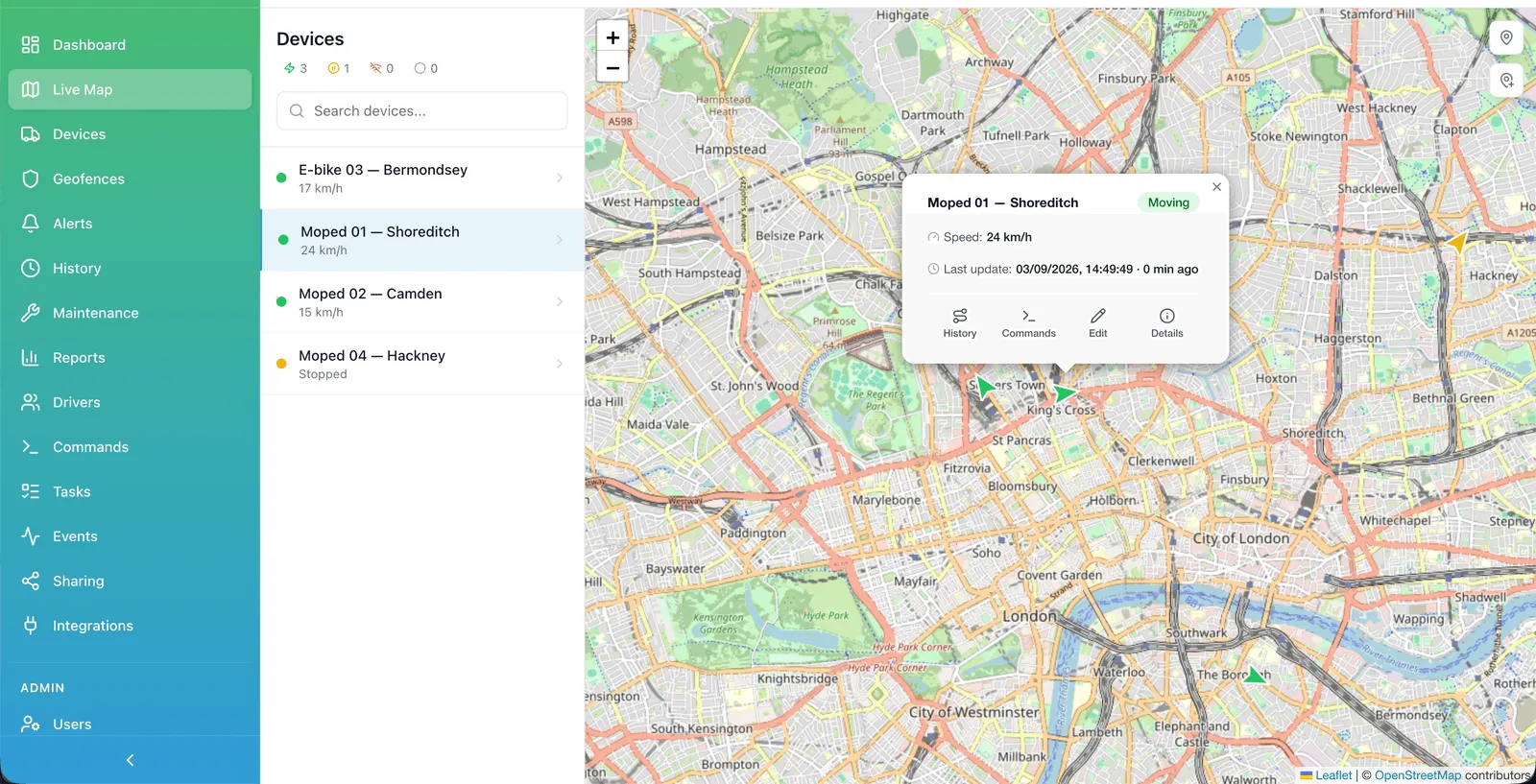
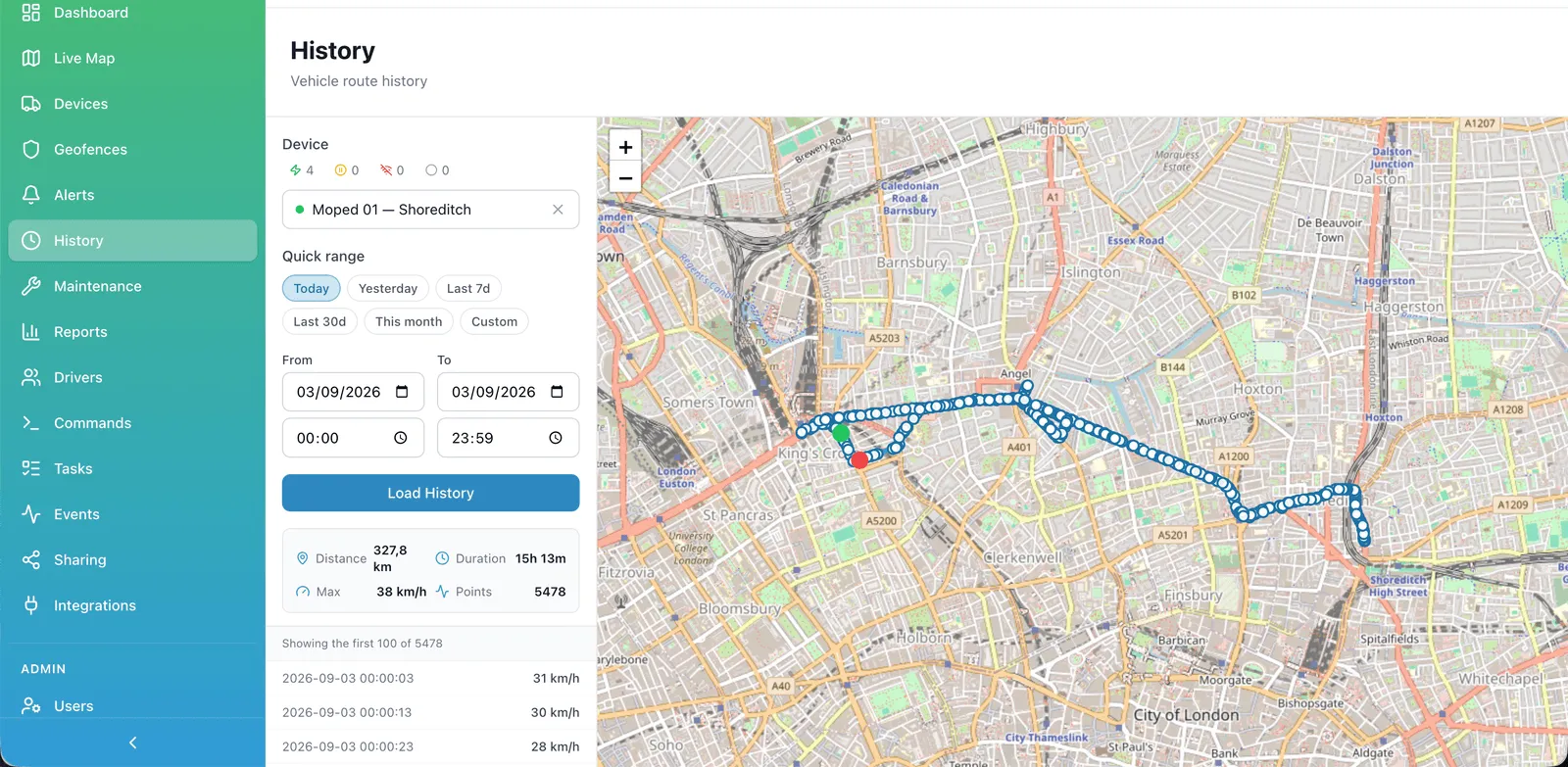
Every vehicle sits on one map, updating as the trackers report. Click a vehicle and you get its last position, speed, address and the state of its inputs. History replays any day for any vehicle: the route it took, where it stopped and for how long, and how fast it was going at each point. Positions are kept as they arrived from the device, so a trip you look at in six months is the same trip you looked at today.
Geofences
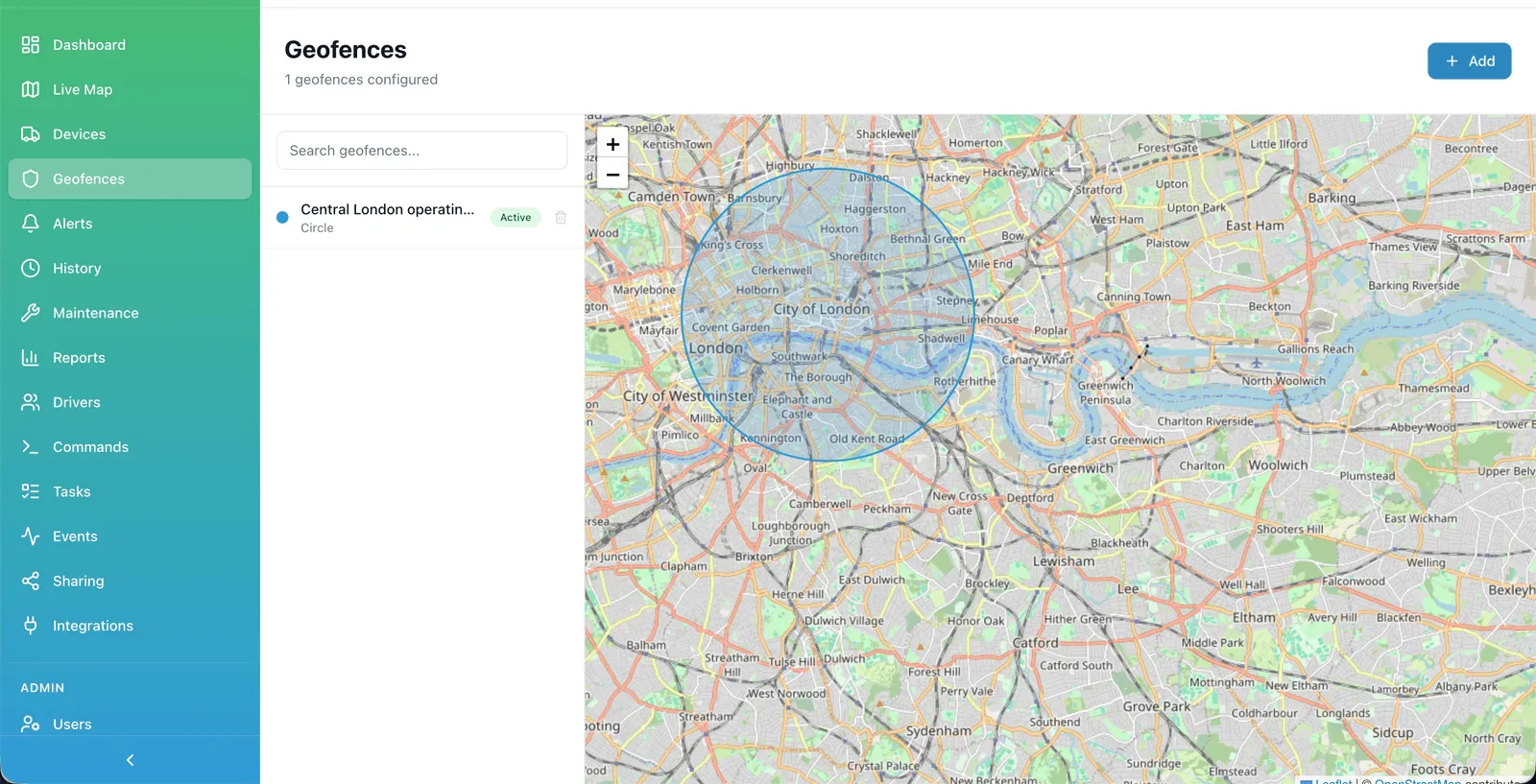
Draw a zone on the map — a depot, a rental area, a customer site, a city boundary — and the platform knows when a vehicle is inside it. Geofences are used two ways: as a filter, to see which vehicles are where, and as a trigger, to raise an alert when something enters or leaves a zone it should not. For a rental fleet this is usually the difference between noticing a vehicle has left the operating area today and noticing next week.
Act on it
When something is wrong, do something about it
Alerts
Alerts turn events into messages: a vehicle moving outside working hours, a geofence crossed, an ignition switched on, a device that has gone quiet, a battery disconnected. You choose which events matter for which vehicles and who gets told. The point is not to generate more notifications — it is to let a small operations team stop watching the map and still find out when something is wrong.
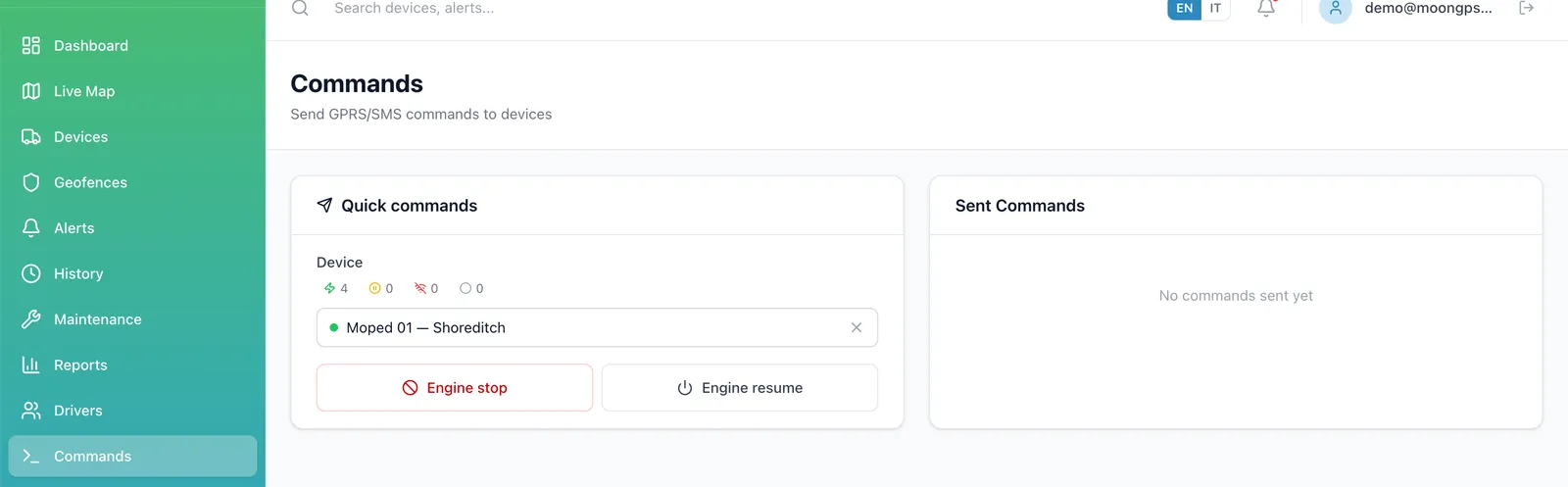
Remote engine immobiliser
On hardware wired for it, you can cut the engine remotely and release it again. It is the feature rental operators ask for first: a customer who has stopped paying, or a vehicle being taken somewhere it should not go. The command is role-gated — only operators and admins of the company that owns the vehicle can send it — and every attempt is written to the command history with who sent it and what the device answered.
Immobilisation depends on how the tracker is installed. We will tell you what your hardware can actually do before you count on it.
SMS and GPRS commands
Commands reach a device two ways: over its data connection while it is online, or by SMS through the SIM platform when it is not. That matters for trackers that only wake up periodically — the command waits in the queue rather than failing. The command history shows what was sent, when, by whom, and what came back, so an unanswered command is visibly unanswered instead of quietly lost.
Run the operation
The records the fleet keeps for you
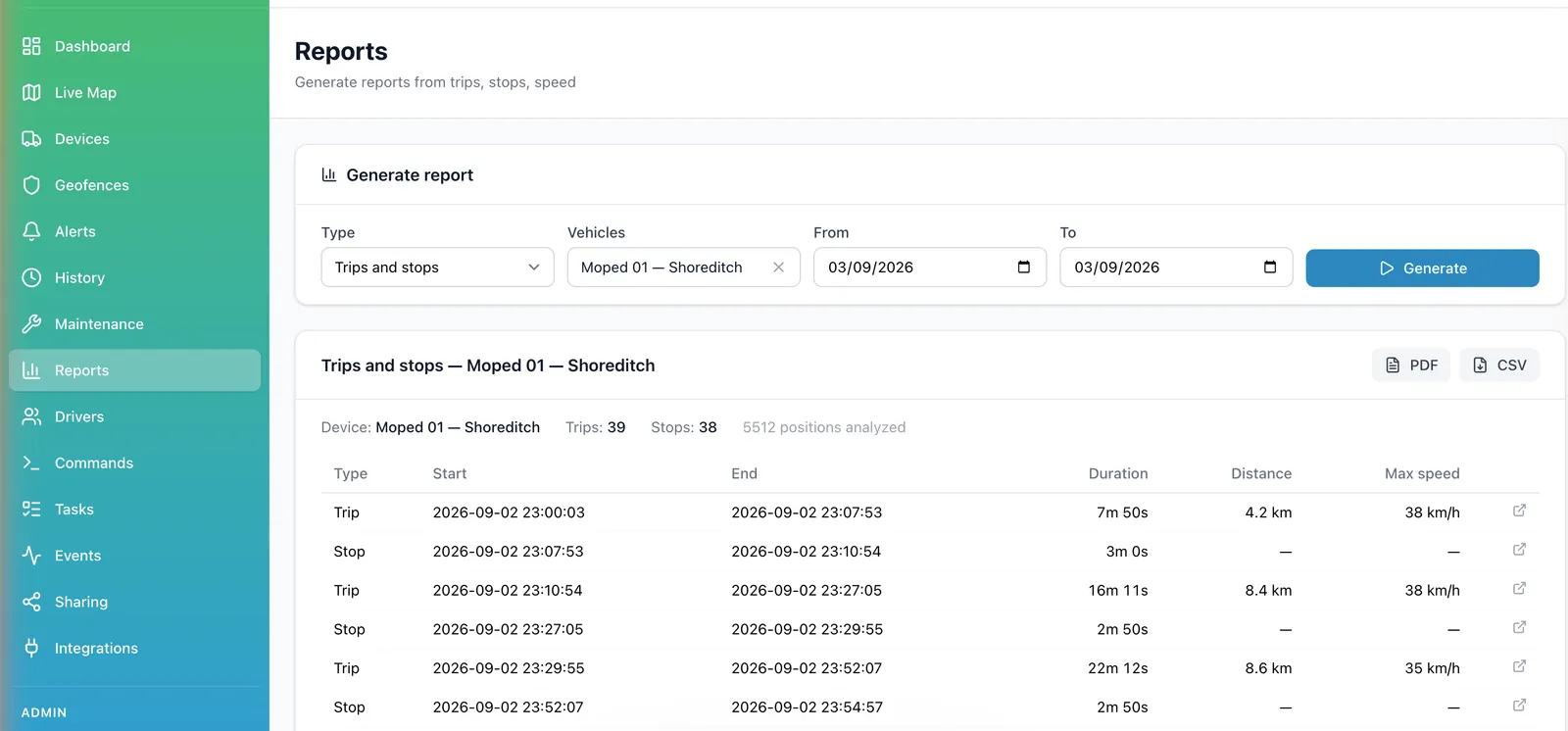
Scheduled reports
Trips, distance, stops, engine hours and events, per vehicle or per group, either run on demand or emailed on a schedule you set. Most fleets end up with two or three standing reports — weekly mileage for maintenance planning, monthly utilisation per branch — and stop logging into the platform to build them by hand.
Maintenance and service records
Service intervals run on the distance the vehicle actually covered, taken from the tracker, not on an estimate typed into a spreadsheet. Each vehicle keeps its own record of work done, so the history follows the vehicle rather than the person who happened to book the garage. For a rental fleet this is the difference between servicing the whole fleet on the same date and servicing the vehicles that earned it.
Drivers
Drivers are records in the platform, assignable to vehicles, so trips and reports can be read by person and not only by registration plate. In a rental operation the same slot is used for the customer currently holding the vehicle, which is what makes a trip history answer the question you usually have: who had it at the time.
Points of interest
Depots, workshops, charging points, customer addresses and drop-off spots can be saved as points on the map. They make positions readable at a glance — "at the Hackney workshop" rather than a street address you have to recognise — and they give the whole team the same reference points instead of private local knowledge.
Grow
Room for more branches, more systems, more countries
Sub-companies
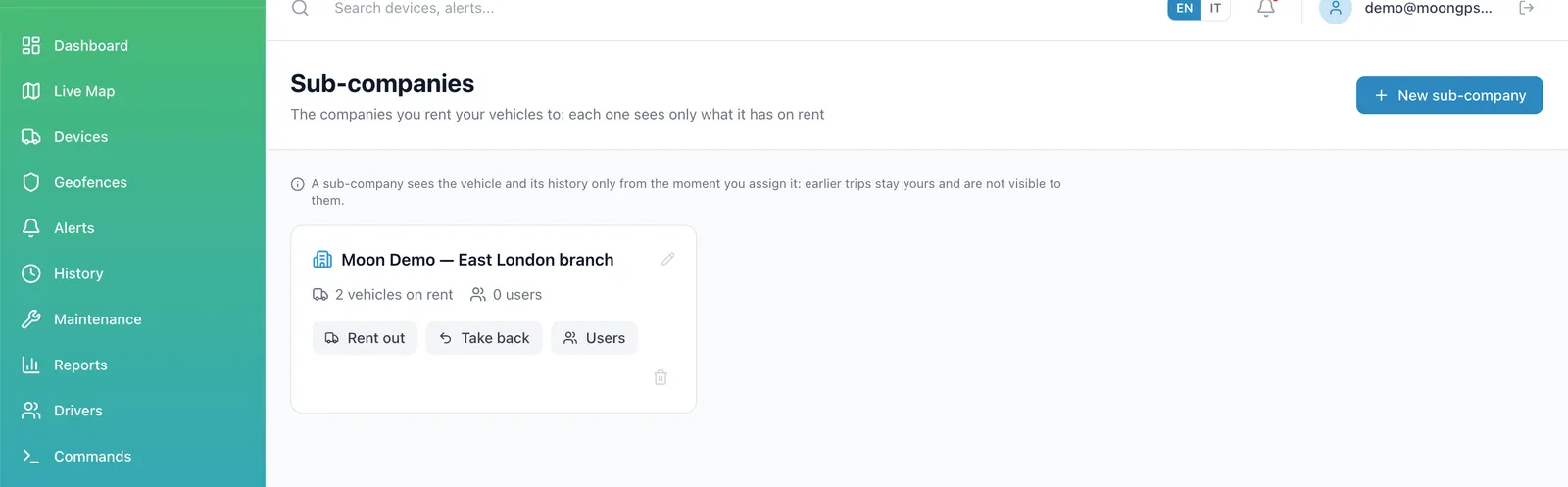
A company can contain other companies, several levels deep. Each branch, franchisee or client gets its own account and sees only its own vehicles and users, while the parent sees everything underneath. This is how operators with multiple sites — or businesses that resell tracking to their own customers — run one platform without letting everyone see everyone else's fleet.
Sensors and CAN data
Beyond position, trackers report inputs and sensors: ignition state, external and internal battery voltage, digital inputs, and on vehicles wired for it, data read from the CAN bus. Moon stores those values with the position, shows them on the vehicle, and lets you build alerts on them. Which values you get depends on the device and the installation, not on the licence.
English and Italian
The interface is available in English and Italian, chosen per user. A UK operations manager and an Italian workshop can work in the same account without either of them working in a second language.
API and webhooks
Every account has access to the public API and to webhooks: positions and events can be pulled into your own systems, or pushed to them as they happen. That is how a fleet connects tracking to the tools it already runs — booking, billing, maintenance — instead of copying data between two screens. No add-on, no separate plan.
Docs coming soon
Public API documentation is being written. Until it is online, email support@moongpstracker.com and we will send you the endpoints and a test token.
Questions we get asked about the platform
Which trackers work with Moon?
Can we migrate from another provider?
Where is our data stored?
How many users can we have?
Do we have to buy hardware from you?
Is the interface available in Italian?
See it on your own vehicles
Tell us what hardware you run and how many vehicles. We will tell you what works today, what does not, and what it costs.